
FiveM script · QBCore · Qbox · ESX
ZAIDERS Appearance
The clothing store, barber shop, tattoo shop, wardrobe, ped shop and character creator of your server, in one resource. It comes with ZAIDERS Studio, an in-game admin panel where you take the catalog photos, place the shops on the map, set prices and choose the menu's colors.
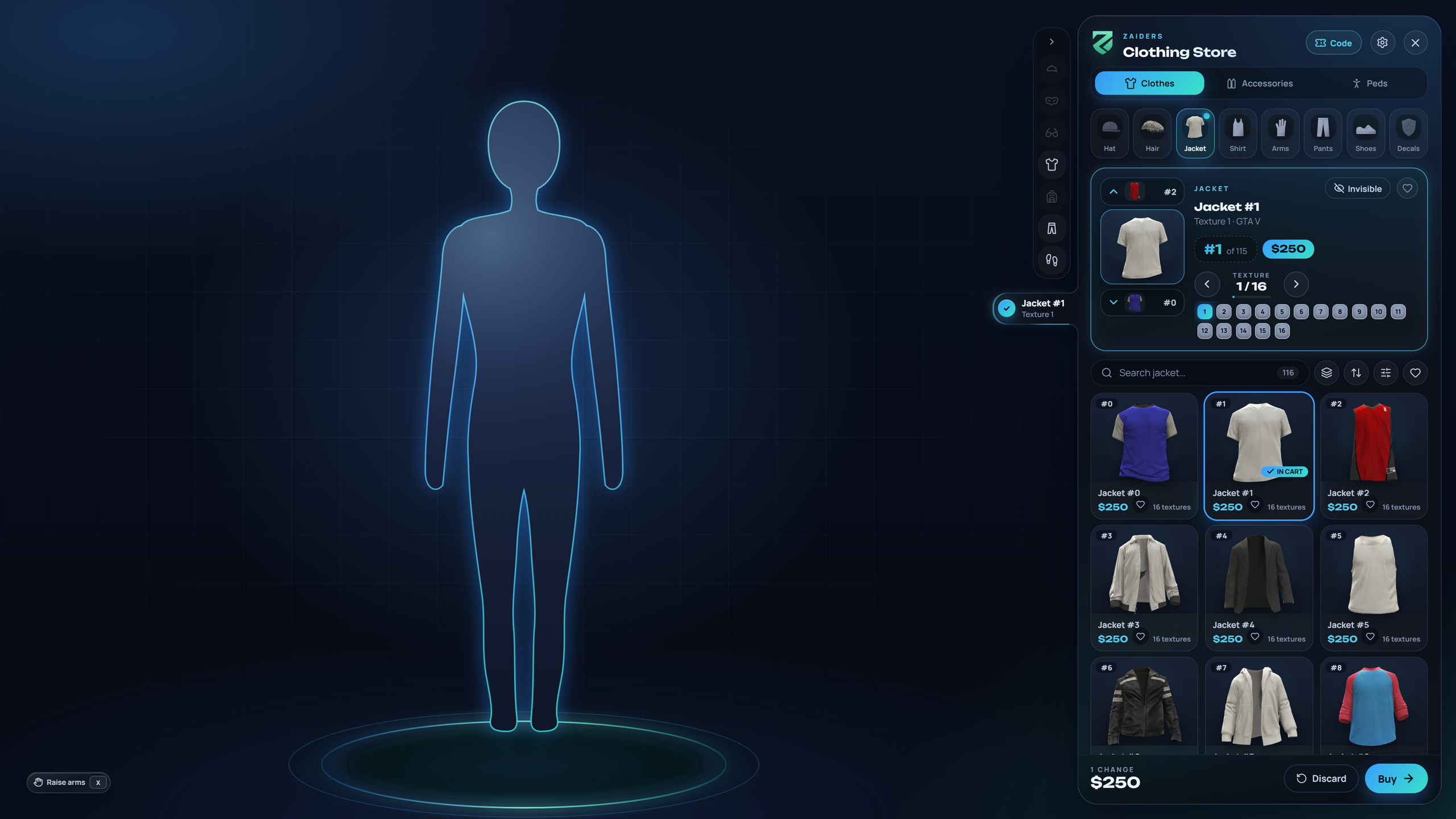
What it does
Start here
Install it
Three folders, one SQL file and three lines in
server.cfg. See Installation.Know what you can change
The Lua code is encrypted by Cfx.re Asset Escrow. The config, the language files and everything in the admin panel stay in your hands. See Escrow & editable files.
Configure it
Prices, permissions, commands, language and every switch are in
shared/config.lua. See the Config reference.Set it up in the game
Join with an admin and type
/zappearance panel. Take the catalog photos, check the shops on the map and pick the menu's colors. See ZAIDERS Studio.
What comes in the download
| Item | What it is |
|---|---|
zaiders_appearance/ | The script: the menu, the admin panel and the map shops. Its Lua code is encrypted by escrow, except shared/config.lua; the language files, the compiled interface and a few helper .js files ship as they are. |
zaiders_photos/ | Your catalog photos. It starts empty and the admin panel fills it. Keep it when you update. |
zaiders_studio/ | The photo studio's invisible head. It doesn't go in server.cfg: zaiders_appearance starts it. |
Appearancez.sql | The database tables. Run it once. |
README.md / README.es.md | The quick guide, in English and Spanish. |
Good to know
- Players keep their looks. It reads the appearances your previous clothing menu saved, in the same tables. Nobody has to make their character again. See Coming from another menu.
- Scripts made for other clothing menus keep working. Multicharacters, housing wardrobes and job lockers that call the usual clothing exports and events are answered by this menu. See Frameworks & compatibility.
- The server decides prices. Every purchase is priced and checked on the server, never in the player's game. See What the server checks.
- Nothing depends on us. It needs no license server, no paid service and no Discord. Your own server sends the catalog photos to players. The only outside request is optional: the Peds shop shows the ped pictures from FiveM's documentation, and
Config.PedShop.images = falseturns that off. - Nothing is kept without confirming. Leaving with free changes (the other sex, a ped of your own, taking something off) asks You have unsaved changes: Save changes, Discard them or Keep editing. With something to pay, the purchase opens, with Leave without buying. See
Config.ConfirmOnExit. - Everything can be switched off. The tattoo shop, the peds shop, outfit codes, gang uniforms, the barber's color card and mirror, the Invisible button, automatic arms, the exit confirmation, sounds, the E sign and the blips each have a switch in the config. Character height comes off out of the box.
- One language per server. English, Spanish, Portuguese (Brazil), French, German, Italian, Polish, Turkish and Dutch are included, and you can add your own. See Languages & texts.
Need help?
Read Troubleshooting & FAQ first. The console tells you what it found when the resource starts. Include those lines when you open a ticket, and never send license keys or passwords.