
Wardrobe & outfits
The wardrobe holds each character's saved outfits and the uniforms of their job and gang. Putting on one of your own outfits is free.
You can open it from:
- a Wardrobe place on the map, such as a police locker room,
- Change outfit at a clothing store,
- another script, such as a housing wardrobe or a job locker (
exports.zaiders_appearance:openShop('wardrobe')), /zappearance wardrobe, for admins.
My outfits
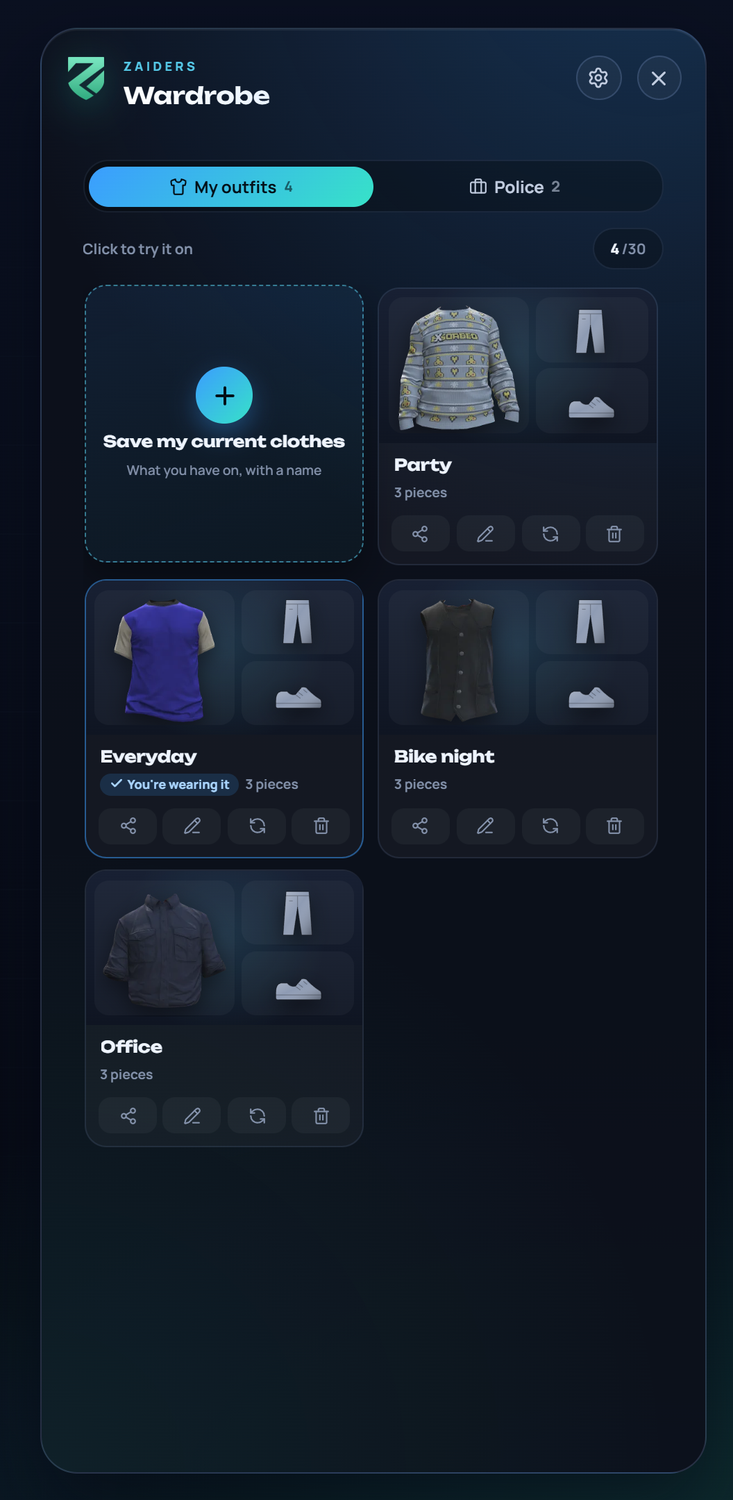
Each outfit is a card that shows its main garments.
- Click a card to try the outfit on: only the character changes. Wear this one puts it on, saves its clothes over the character's saved look (the face and the hair stay theirs) and closes the menu. Take it off goes back to what they had.
- Save my current clothes saves the clothes of the character's saved look (what they bought) as a new outfit, with a name of up to 32 letters. Garments still being tried on are never saved. While trying on another outfit, nothing can be saved or deleted.
- On each card: Share with a code, Rename, Save my clothes to this outfit (update it with your clothes) and Delete (click twice).
- With many outfits, a search box shows up.
- An outfit saved with another character model shows dimmed as From another character.
While trying an outfit on, Esc or the cross opens You're trying on an outfit, with the outfit and its list: Wear this one, Discard it (the clothes you had come back) or Keep editing. Without trying anything on, Esc leaves at once.
Each character can have up to Config.Wardrobe.maxOutfits outfits (30 by default).
Job and gang uniforms
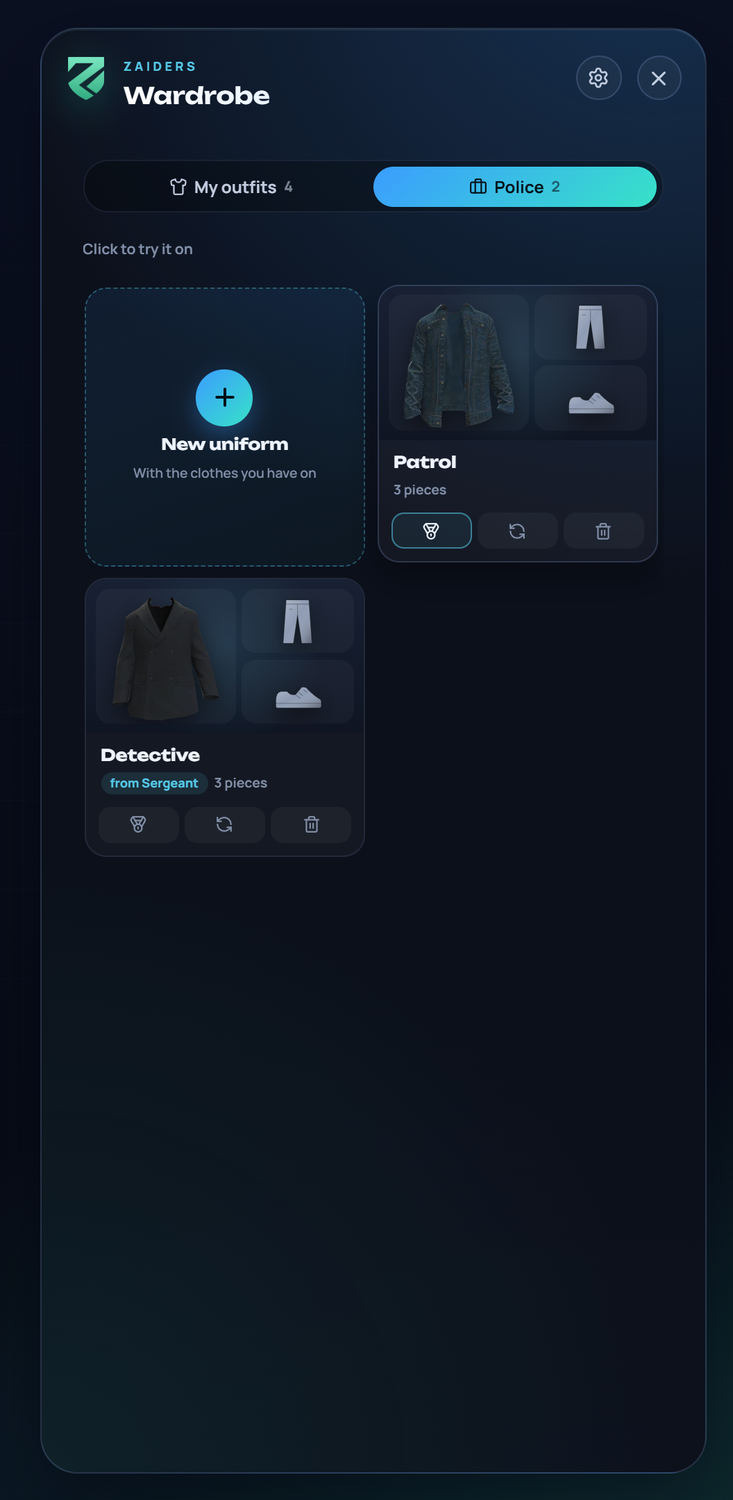
The job's uniforms have their own tab, with the job's name. Members see the uniforms of their job, from the grade each uniform allows. Putting on a uniform only dresses the character; it doesn't replace their saved look. A uniform with no clothes for the character's sex says No clothes for your character.
Who makes them: the job's boss, any grade from Config.Wardrobe.bossGrade on (if you set it), and admins. They dress the way the uniform should look and click New uniform. On each uniform they can also:
- Seen from grade: pick the lowest grade that sees it. That grade and the ones above see it; lower grades don't.
- update it with the clothes they have on, rename it, or delete it.
Gang uniforms (QBCore and Qbox) work the same way in another tab, made by the gang's boss. Config.Wardrobe.gangUniforms = false removes that tab.
Each job, and each gang, can have up to Config.Wardrobe.maxUniforms uniforms. Another script can open the wardrobe directly on the uniforms:
exports.zaiders_appearance:openShop('wardrobe', { tab = 'job' }) -- or tab = 'gang'Sharing an outfit
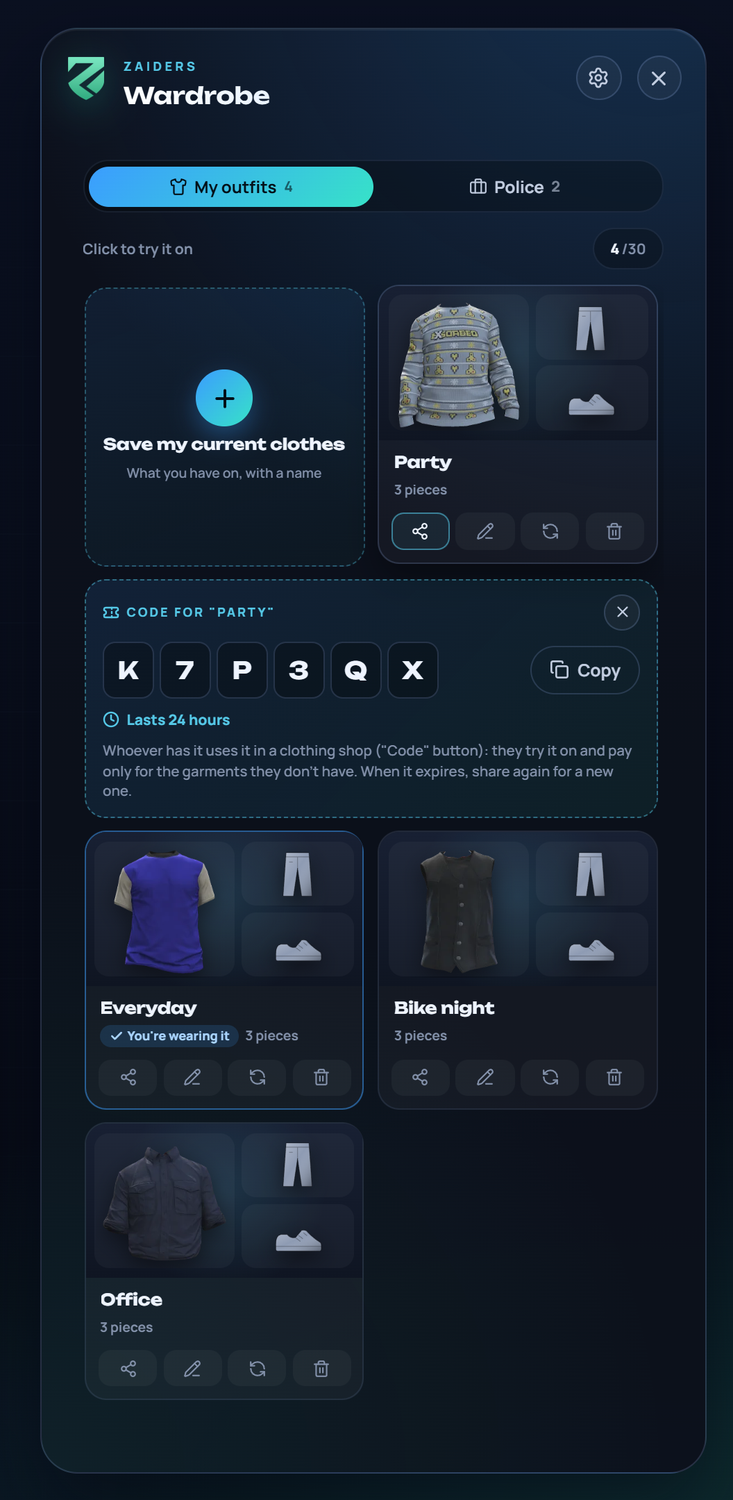
The share button of one of your own outfits gives a 6-letter code, shown in big letters with a Copy button. Another player enters it at a clothing store (Code, at the top), tries the outfit on and pays, as in the store, for the garments they don't have.
- Garments out of stock, or only for a job or group the other player isn't in, stay as their own.
- Each code lasts
Config.Wardrobe.shareHours(24 hours), and the menu says how long is left. After that, sharing again gives a new code. - Deleting the outfit deletes its code.
Config.Wardrobe.shareCodes = falseturns sharing off.
Where it's saved
| Table | What it holds |
|---|---|
ps_outfits | Each player's outfits. If your server already had this table from another clothing resource, those outfits show up. |
ps_job_outfits | The jobs' and gangs' uniforms. |
zaiders_uniforms | From which grade each uniform is seen. Created by itself. |
zaiders_outfit_codes | The shared codes. Created by itself. |
Outfits from illenium-appearance or qb-clothing can be brought over with a console command. See Coming from another menu.
Related
- Config reference: wardrobe
- Map shops & blips: places of type Wardrobe.
- Exports, events & hooks