
Barber shop
The barber shop changes everything about the face: heritage, face shape, skin, hair, beard and makeup. It works like the clothing store: everything is tried on at once, and it's charged only when the player pays. Leaving with changes asks first (see Leaving with changes).
It's for the freemode characters, the man and the woman. A player wearing another ped is told so. Admins also have a { } button at the top, to copy or paste the character JSON.
Heritage
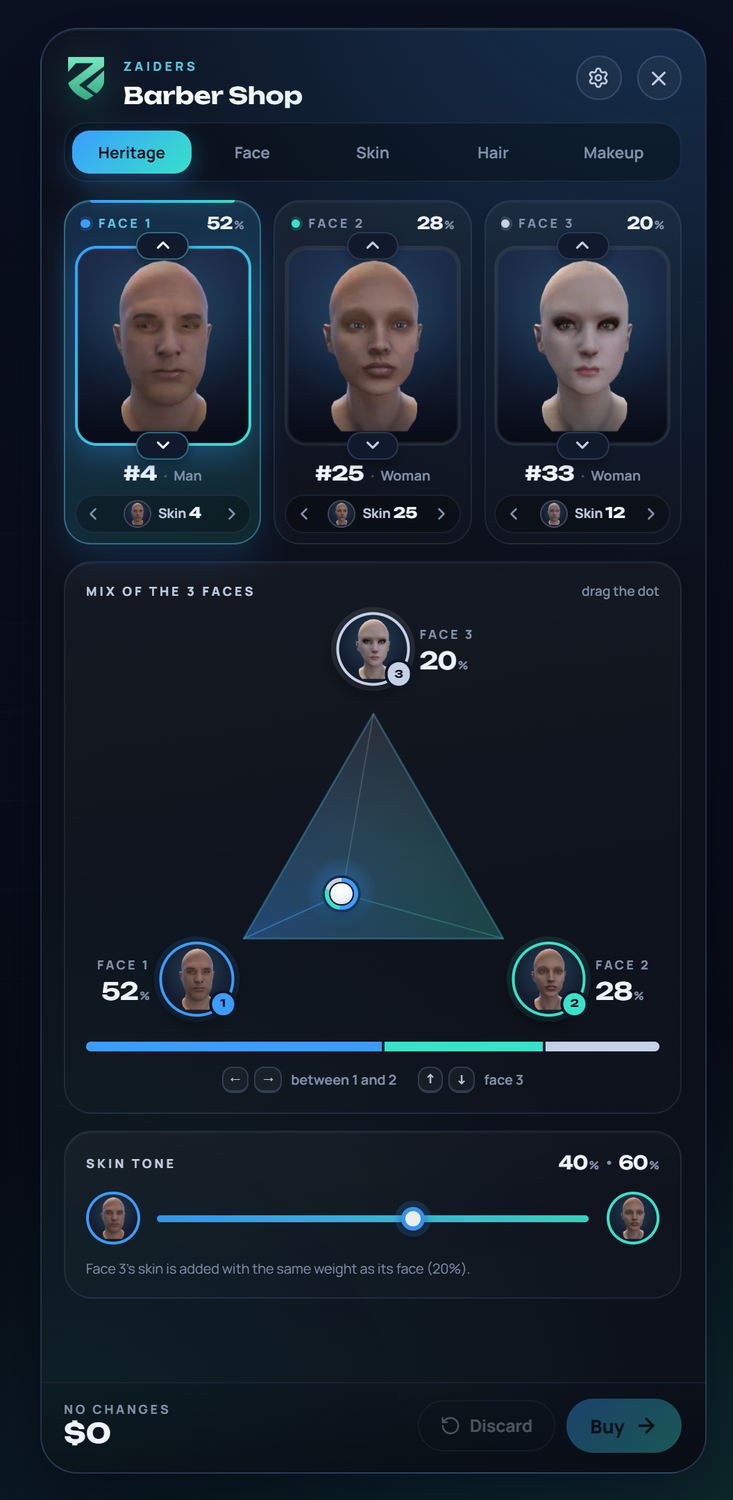
The face is a mix of three faces, each with its own skin. Each face is a framed portrait on its own card:
- On each face card, ▲ ▼ on the frame's edge (or ↑ / ↓) change the face, and ◀ ▶ beside the skin (or ← / →) change its skin. The card also shows the face's share of the mix, in %.
- Clicking the portrait opens every face (See all faces), and clicking the skin opens every skin (See all skins). Both have a Men | Women switch.
- Mix of the 3 faces: drag the dot inside the triangle. Each corner is one face, with its share in % beside it. A double click puts it halfway between faces 1 and 2. With the keys: ← → between 1 and 2 · ↑ ↓ face 3.
- Skin tone: the mix of the skins.
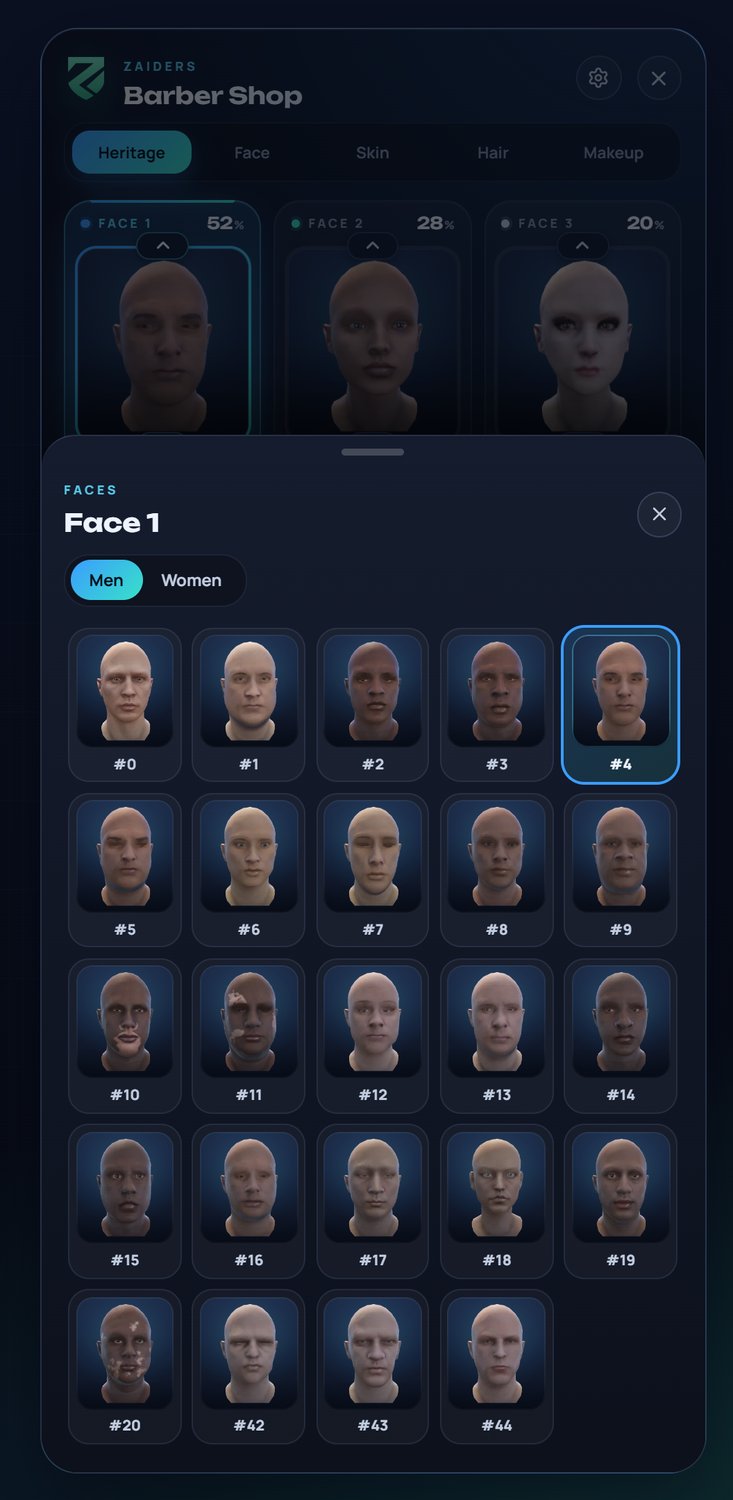
Each face keeps its own color all over Heritage: faces 1 and 2 take the menu theme's colors, and face 3 is silver (another color that stands apart, when the theme is already silvery). The same color marks its card, its corner of the triangle, its part of the mix bar and the skin tone track. The chosen face gets the gradient ring. A face at 0 % is only dimmed: it can still be changed.
The faces show the photo taken in the admin panel's studio, or the game's own portrait when there's none. See Catalog photos.
When the barber opens, it reads the face the character really has.
Face packs
The game has faces 0 to 45, and the config comes with those only. If your server has a face pack that adds more, set Config.ShapeMax to its last face and add its men's and women's faces to Config.FaceRanges (the pack's seller knows which are which). Until then its faces don't show. See Config reference: face packs.
Face
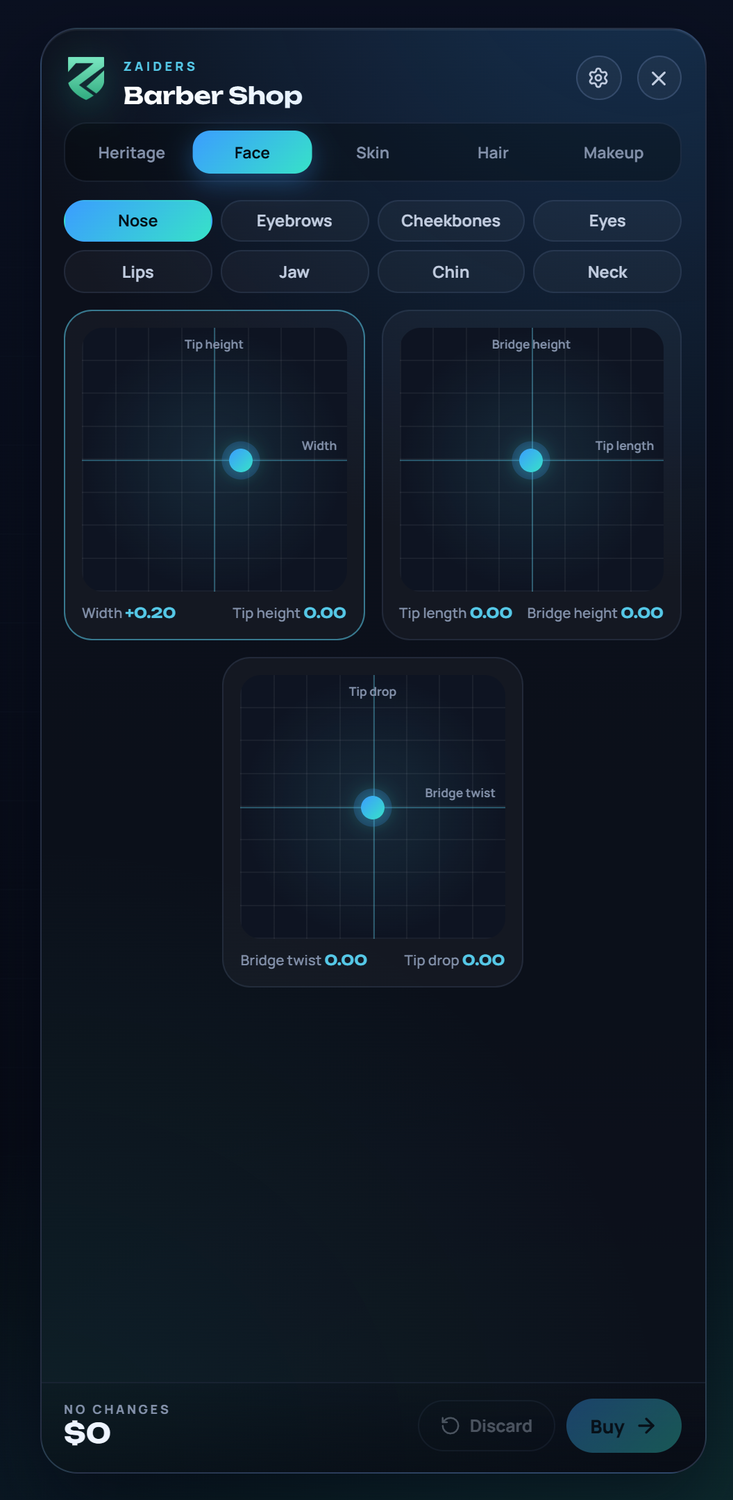
The face shape, in eight groups: nose, eyebrows, cheekbones, eyes, lips, jaw, chin and neck. Each pad moves two things at once, such as a nose's width and tip height; sliders move one. The numbers under each pad show the values. Eyes also has the eye color: each eye as the player's own game draws it (see Eye packs).
Eye packs
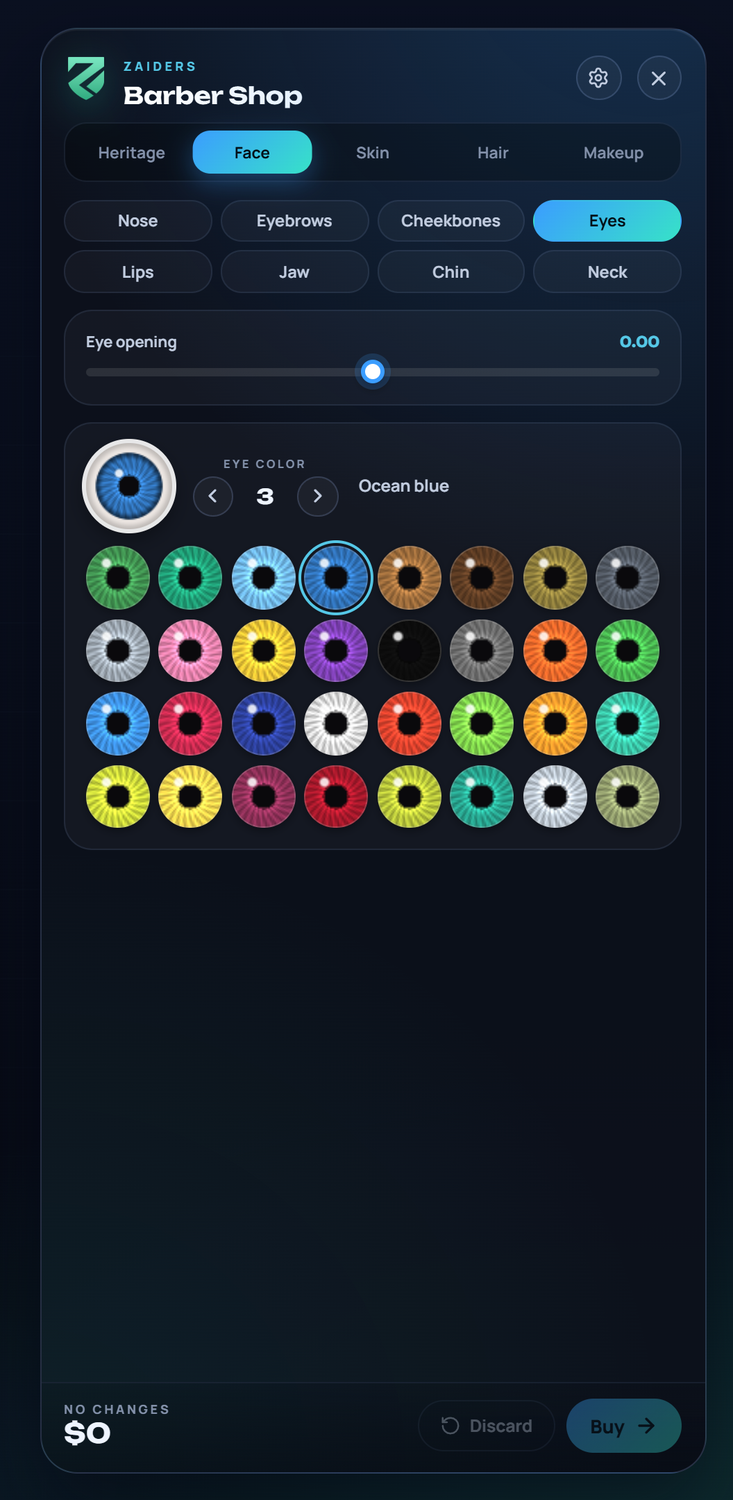
Nothing to set. The game paints the eye colors from one texture, mp_eye_colour, and an eye pack brings its own. The barber shop and the creator cut the copy each player's game has loaded into its 32 eyes, so players see your pack's eyes (escrowed or not), or the game's when there's no pack. The cart shows the same eye.
- Names. While no running resource streams
mp_eye_colour.ytd, the eyes keep the game's names ("Green", "Atomic"...). With a pack, each one goes by its number ("Eyes 12"), since its pictures aren't the game's. You can name them inConfig.Eyes.names. To find an eye's number, pick it in the menu: it shows between the arrows. - Hidden eyes.
Config.Eyes.hiddentakes eyes out of the menu, and the server won't sell them. A player who already has one keeps it, and a new character never starts with one. - Without the picture. If the game hasn't loaded the texture yet, the menu tries again for a few seconds. Meanwhile it shows the usual color circles on a server without a pack, or numbered boxes with a pack.
Config.Eyes = {
    fromGame = true,      -- false: the usual color circles
    gameNames = 'auto',   -- true: always the game's names; false: always by number
    names = {},           -- for example { [0] = 'Honey', [12] = 'Olive green' }
    hidden = {},          -- for example { 26, 27 }
}
The server reads only the names in each running resource's stream folder, never the files, and reads a resource again when it starts or stops. See Config reference: eyes.
Skin, hair and makeup
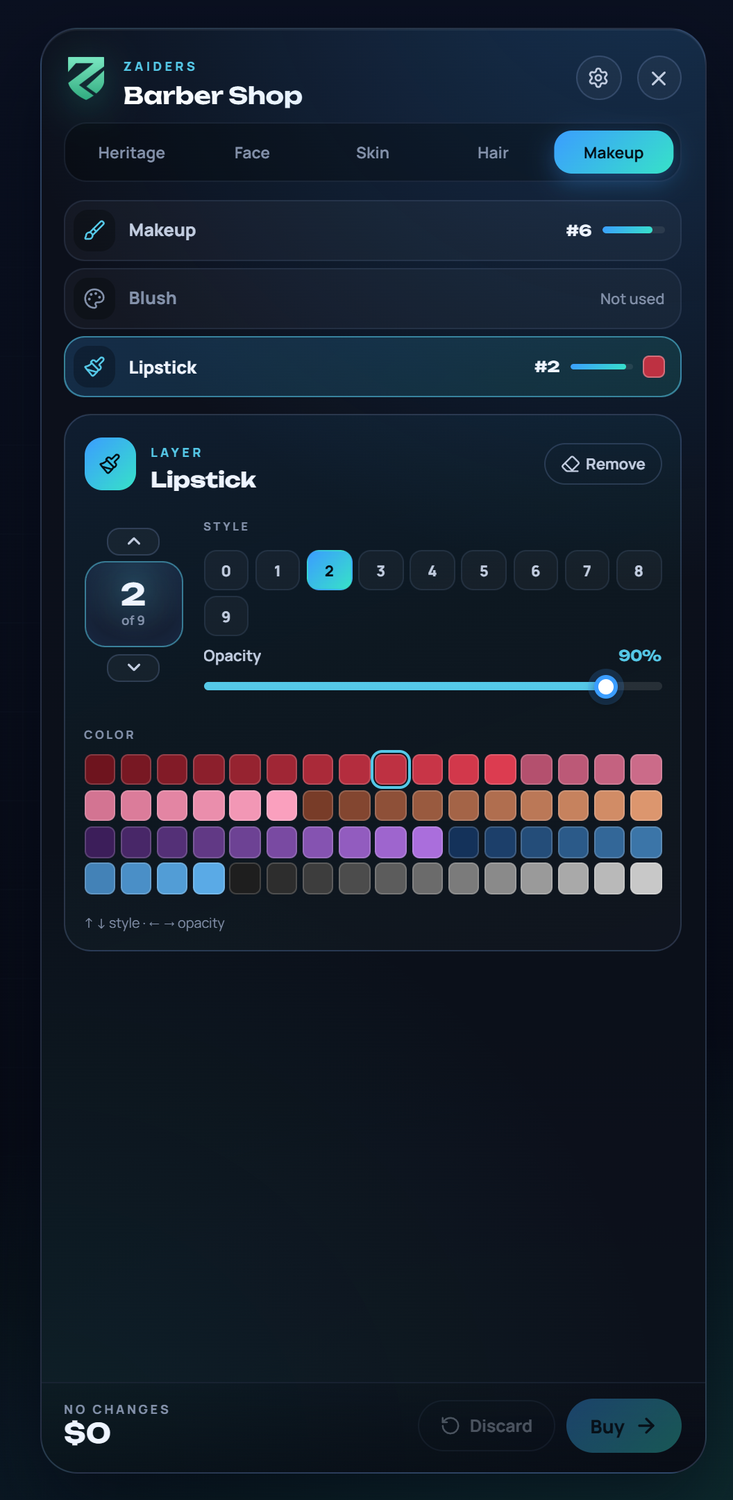
Skin details, eyebrows, beard, chest hair, makeup, blush and lipstick are layers. Each layer has:
- a style, changed with ↑ / ↓ or by clicking its number,
- an opacity, changed with ← / → or the slider,
- a color from the game's palette, for hair, beard, eyebrows and makeup.
Remove takes a layer off. Taking off a layer the player already had (a beard, the eyebrows, makeup…) costs nothing, but it's a change: the cart shows it as Removal · Hair with the layer and Fully removed, its ↺ button (Keep it) undoes it, and leaving with it asks first.
| Section | What it has |
|---|---|
| Skin | Blemishes, aging, complexion, sun damage, moles and freckles, body blemishes. |
| Hair | The hairstyle (with its photo) and the color card, eyebrows, beard and chest hair. |
| Makeup | Makeup, blush and lipstick. |
The barber in your hands
Two tools teach the barber by doing: the player picks the color looking at their own hair, and compares the result with how they came in. Each one can be turned off (see Turning parts off).
Color card
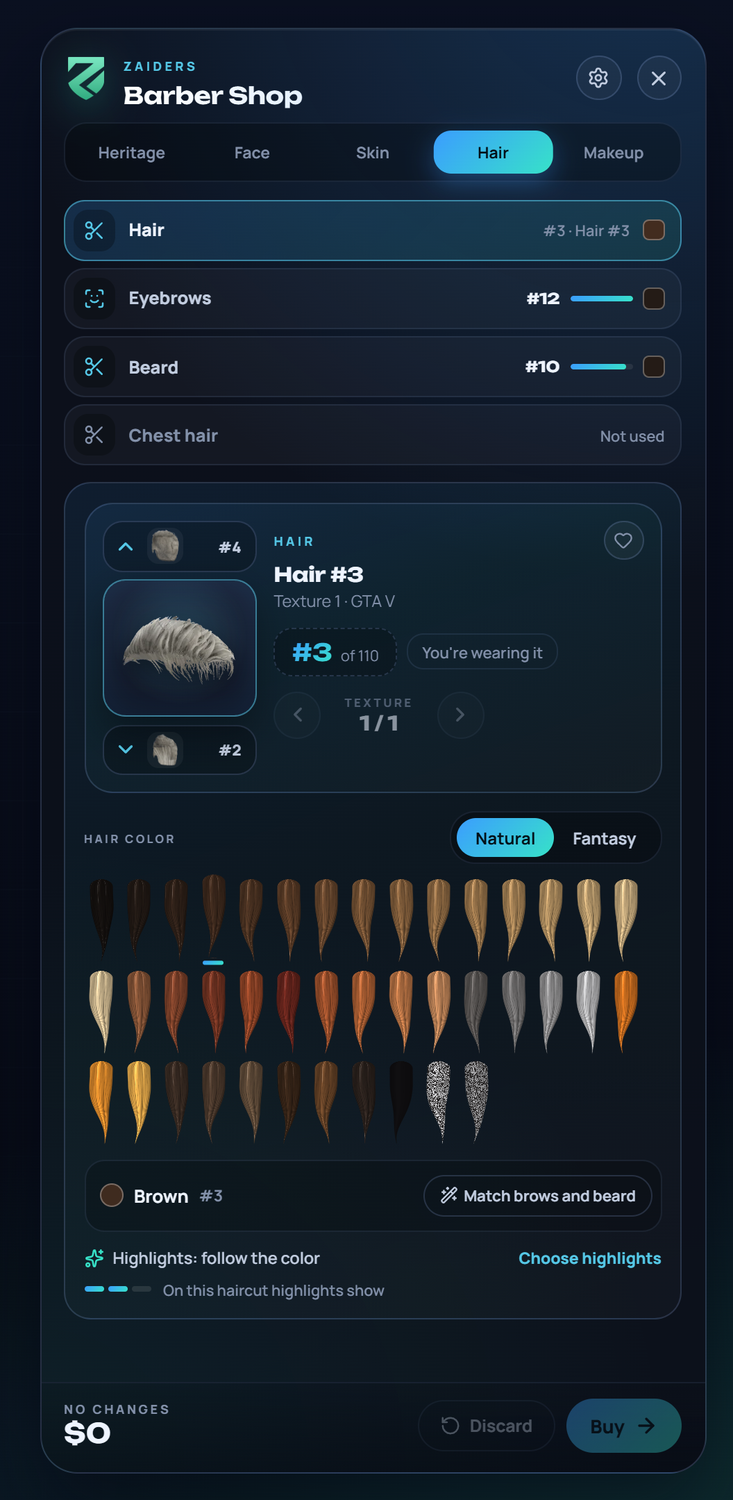
In Hair, the 64 hair colors are locks of the player's own haircut, tinted the same way the game tints it. The player sees how each color really looks on that cut before choosing it.
- Natural and Fantasy tabs.
- Every color has a name, worked out from the game's palette (Black, Dark brown, Auburn, Copper, Blonde, Silver, Red, Teal…), and its number. The chosen one shows both under the locks, and pointing at a lock shows Name · #n. The game's flat black (61) is called Black, and its two salt-and-pepper rows (62 and 63) Salt and pepper.
- Highlights follow the color until the player picks their own. Choose highlights shows all 64, each with a chip of the highlight's own color under it, and a meter says how much highlights show on that haircut. Make them follow the color puts them back to following the color.
- Match brows and beard: gives both layers the hair's color.
- A haircut the game doesn't tint locks the card (This haircut comes with its own color). The color stays as it was and isn't charged.
Clothing stores sell the haircut and its color too, with the same card (without Match brows and beard: eyebrows and beard are only sold here). See Clothing store.
The game's own hairs come ready with the resource. The packs' hairs are prepared by the server in the background, 45 seconds after it starts, and kept in saved/hairswatch/. You can also start it from the admin panel (Clothing packs > Hair swatches) or with zappearance_hair_swatches in the server console (zappearance_hair_swatches all makes every one again). A hair that can't be read (a BC7 or escrowed texture) shows the usual color and highlight squares, and so does every hair with colorCard.enabled = false. While a new haircut's locks are on their way, the card keeps the previous ones, dimmed.
Trim
A beard or eyebrows that only had hair taken away are charged as a Trim (Config.Prices.trim), never more than a new layer: less density with the slider, or a style that only has less hair (a full beard turned into a goatee, thinner eyebrows of the same shape), in the same color. The server checks the same rule, and the purchase says what the beard or eyebrows look like (for example "Goatee · #2 · 90 %").
The mirror: before and after, undo and Close-up
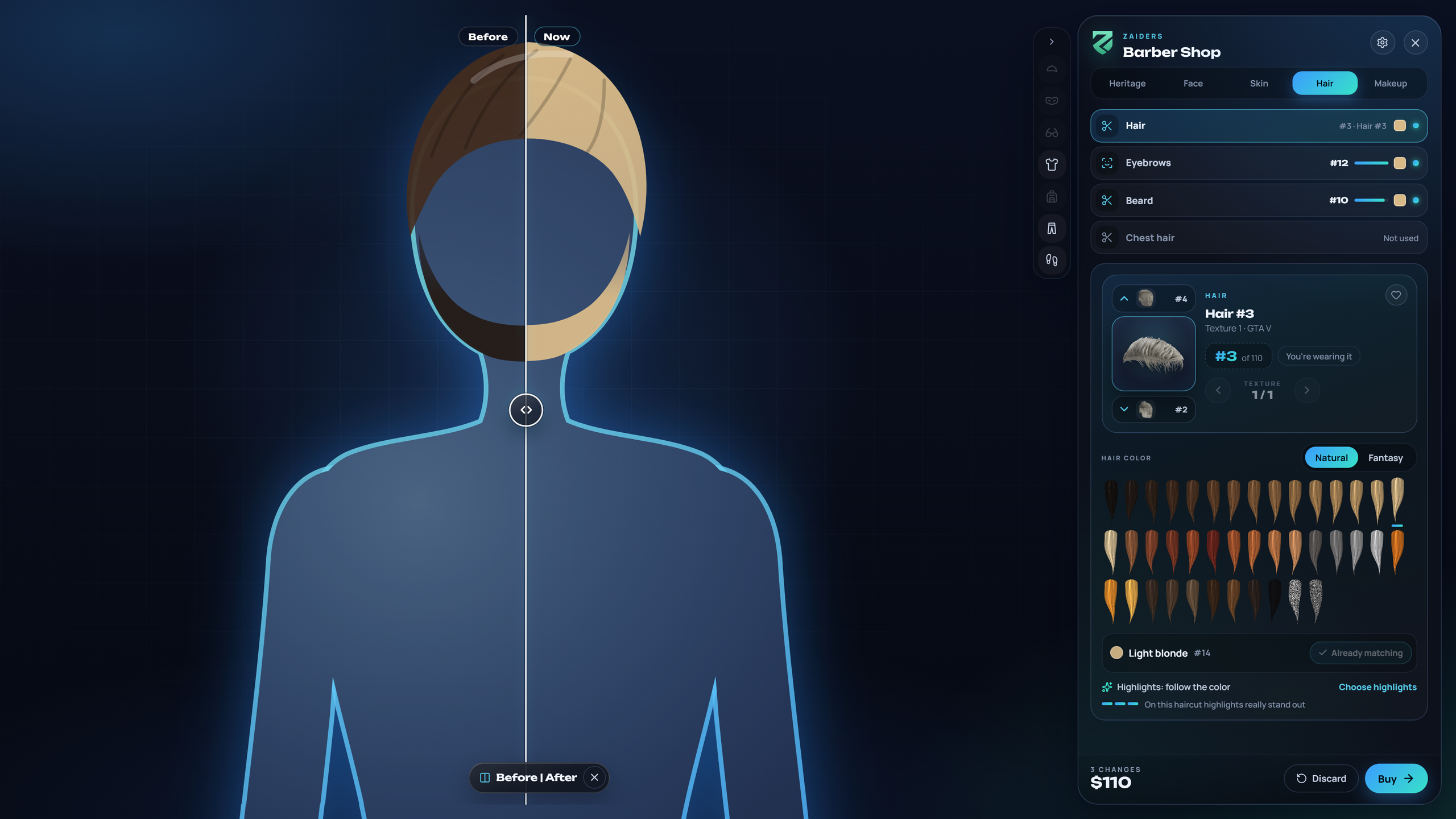
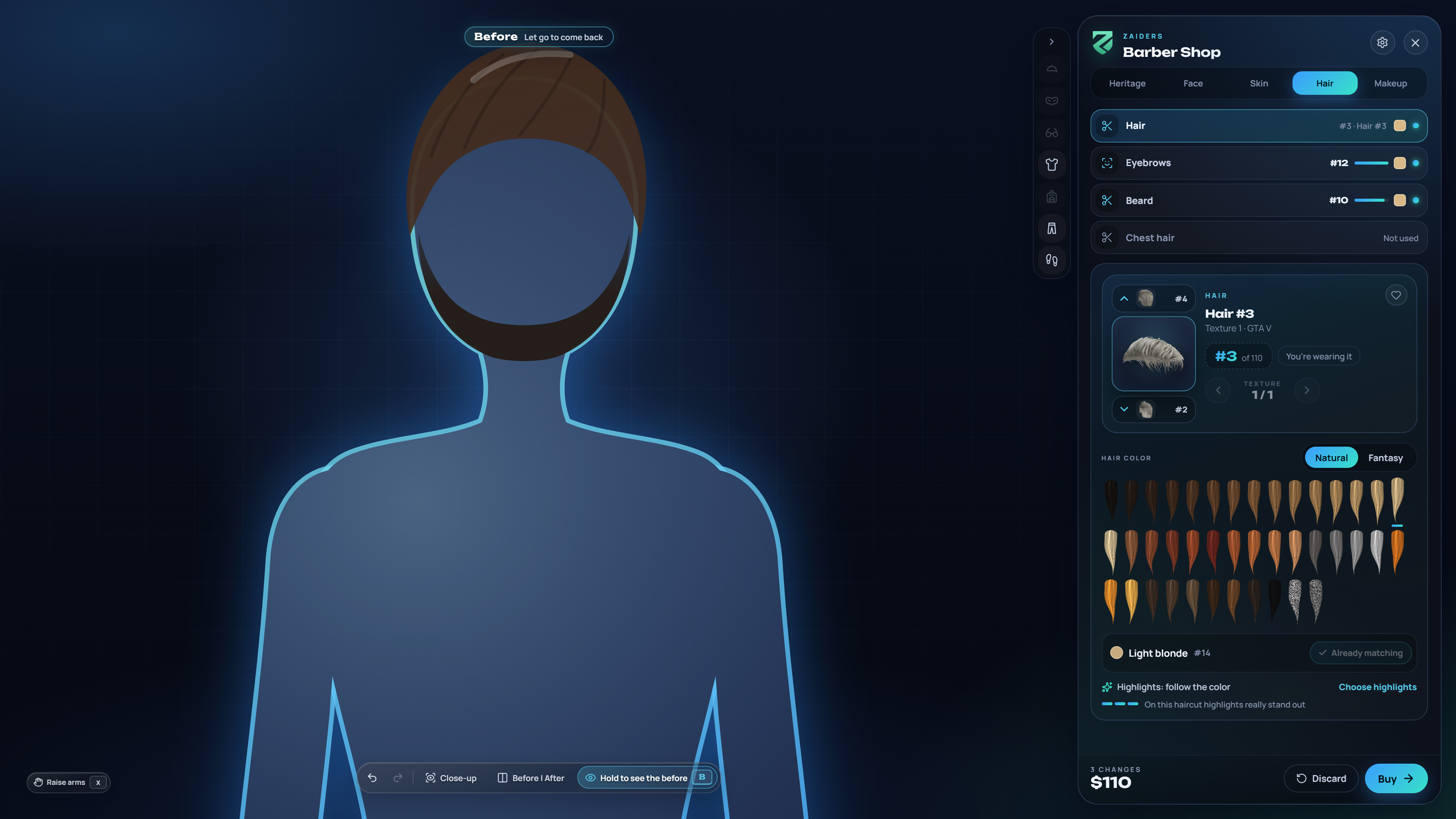
A bar under the character has:
- ↶ ↷: undo and redo everything on the head (haircut, color and highlights, face, eyes and layers), also with Ctrl+Z and Ctrl+Y (or Ctrl+Shift+Z), up to 50 steps. The history starts again on each opening, and Discard, pasting a JSON and paying clear it;
- Close-up: the face closer than the Face shot;
- Before | After: a curtain over the character. Left of the handle (Before) is a picture of how the player came in; right of it (Now), the character live, standing still in the same pose and framing. Drag the handle to compare; Esc or ✕ closes it;
- Hold to see the before (or hold B): while it's held, the character wears the look they came in with, live, in the same still pose and without moving the camera, and Before · Let go to come back shows on top. Letting go (the mouse button anywhere, B, Esc, or the menu losing focus) brings back what's being tried. It's off until something changed (You have not changed anything to compare yet). A haircut, a color or a layer switches live; the view is covered (One moment…) only while the game blends another face.
The before picture is taken every time the curtain opens, never an older one, under a cover (Getting the before ready…, with Cancel or Esc). The character holds still (the pose, the head, a face that doesn't blink, and the camera jumped to Face or Close-up and locked), wears the look they came in with for a moment, and the picture is taken once that look really shows. Then what's being tried comes back. Both halves have the same pose, the same face, the same framing and the same light. Opening the curtain again, or paying with it open, takes a new picture.
The picture is read from the game's image on the player's own computer and never leaves it. If the game's image can't be read on that computer when the barber opens, the curtain isn't offered; undo, Close-up and Hold to see the before still work.
While the before is on the character (the curtain's picture, or Hold to see the before), other players can see it, like any preview. What's charged never changes. The mirror bar is off while a payment is being processed.
The curtain and Hold to see the before are only in the barber shop. Undo and Close-up also work in the character creator.
Turning parts off
Everything above is in Config.Barber. A part that's missing is on; only false turns it off. Config.Barber = false turns all of it off, the Trim price included.
Config.Barber = {
    colorCard = { enabled = true, groups = true, autoHighlight = true, meter = true, matchBrows = true, lockUntinted = true },
    mirror = { enabled = true, curtain = true, holdToCompare = true, undo = true, detailShot = true },
}| Key | With false |
|---|---|
colorCard.enabled | No color card: the usual color squares, and the server prepares no swatches. |
colorCard.groups | No Natural and Fantasy tabs: the 64 colors together. |
colorCard.autoHighlight | Highlights don't follow the color. |
colorCard.meter | No highlights meter. |
colorCard.matchBrows | NoMatch brows and beard. |
colorCard.lockUntinted | No lock for haircuts the game doesn't tint. |
mirror.enabled / curtain / holdToCompare / undo / detailShot | None of it / no curtain / no Hold to see the before / no undo and redo / no Close-up. |
A config from an older version may still have Config.Barber.handsOn or colorCard.matchClothes. Both are ignored, and the server console says so once.
Body: the height
The character height is off out of the box. With it on (Config.Height.enabled = true, then restart the resource), a sixth tab, Body, shows the character's height and where it sits in its range. The height isn't sold: Ask for a height change sends a request to the staff, who accept or deny it in the panel, and a request nobody answers in 30 minutes is deleted by itself. With Config.Height.requests.enabled = false, Body only shows the height. A character made before the height was turned on chooses it here once, without the staff, until a deadline.
A height seen on the character in Body but not chosen is never saved: leaving asks first (Only you see it: to keep it, choose it in Body.), and the character's own height comes back.
Prices
The barber's prices are in Config.Prices. A barber shop with its own percentage in the panel (Shops → the shop → Catalog and prices) charges all of them at that percentage.
| Key | What it charges |
|---|---|
parents | Changing the heritage. |
features | Changing the face shape. |
eyes | Changing the eye color. |
hair | A new hairstyle (the same at clothing stores). |
hairColor | Changing the hair color or highlights (the same at clothing stores). |
overlays.* | Each layer: blemishes, ageing, complexion, sunDamage, moleAndFreckles, bodyBlemishes, eyebrows, beard, chestHair, makeUp, blush, lipstick. |
trim.* | A Trim of the beard ($20) or the eyebrows ($15): the same layer with only hair taken away (less density, a style that is a trim of the old one, or thinner eyebrows of the same shape, in the same color). Never more than a new layer. false: no Trim, it's charged as new. |
See the Config reference.
Related
- Character creator: the same tools, free, for a new character.
- Character height: the Body tab and the requests to the staff.
- Clothing store: paying, settings and the camera work the same way.